NixApp
Getting Started
This guide will help you install and configure Stremio. It will go over adding addons and linking Stremio with Real Debrid.
1. Install Stremio / Setup Account.
Download and install Stremio from the official website. Create an account or sign in if you already have one.
2. Launch Stremio App
Launch the app and sign into your account. If successful, you will see the catalogue of all the shows and movies.
3. Setup Real Debrid Account
Next, head over to 'real-debrid.com'. Hit 'Sign Up', it is located in the top right. Once logged in, click 'Premium Offers' located in the top bar. Choose an option and click 'Subscribe'. Make sure you stay on 'real-debrid.com', sometimes there are ads. Once successful, navigate back to the home page. You should see something like, '2025-12-27 (46 D)' next to Premium.
4. Link Real Debird with Torrentio / Stremio
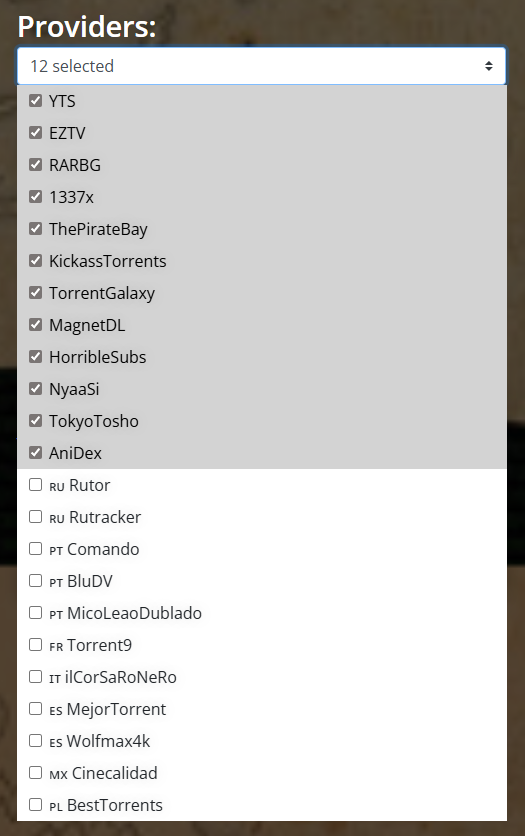
Navigate to 'https://torrentio.strem.fun/configure'. First, we will start with the providers list. I will begin to attach pictures below. Make sure to only select the ones I did.
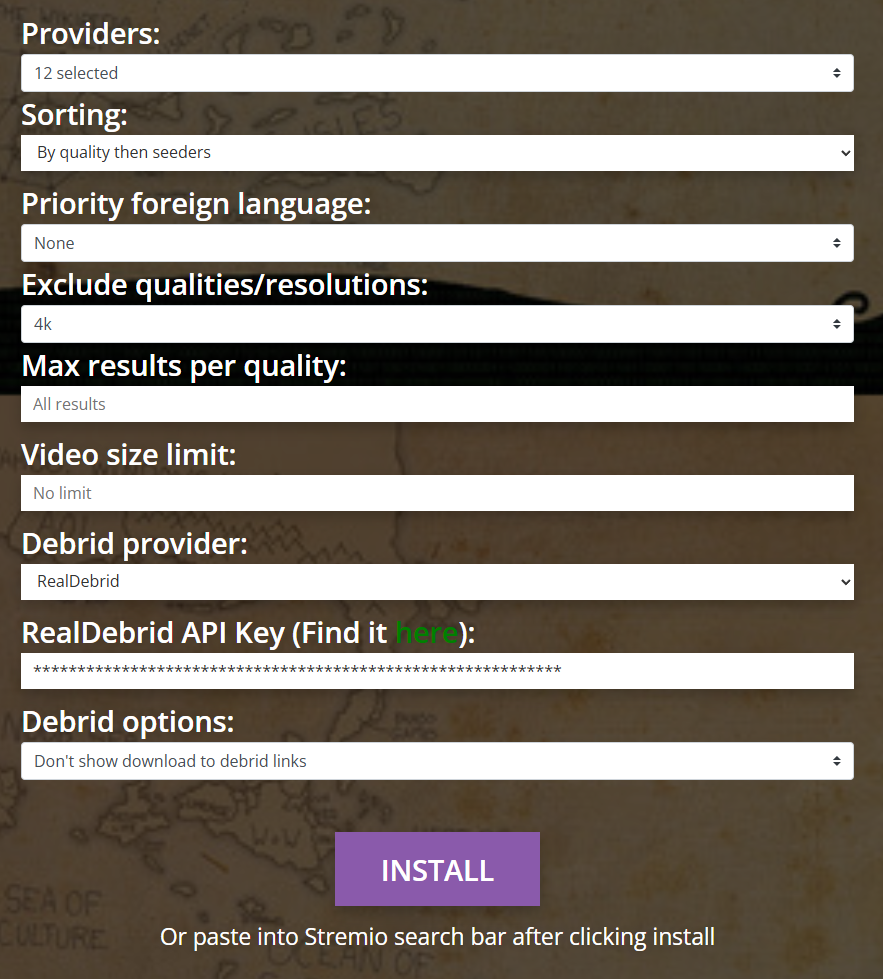
For Sorting, we want to select by quality then seeders. I would leave the Priority foreign language as None. Then, I would exclude 4K unless you can actually run them. Leave max results and video size limit alone.
For the Debrid provider, select Real Debrid. It will then ask for the Real Debrid API key. Hit the green 'here' button. Copy that string and paste it into the Torrentio configuration. For Debrid options make sure to click 'Don't show download to debrid links'. Here is an image of what it should look like.
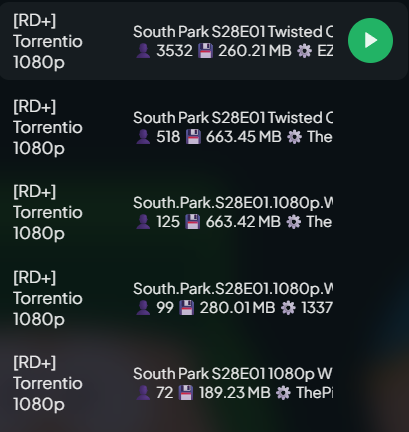
Now, click 'INSTALL' and hit open in Stremio. Now try and play a movie or tv show. The stream list should look like this:
5. How to add addons to Stremio
First, we will start with adding the addon I created. Navigate to 'https://nixapp.org/downloads'. Hit 'Open in Stremio' and it should automatically open Stremio. When promted, click 'Install'.
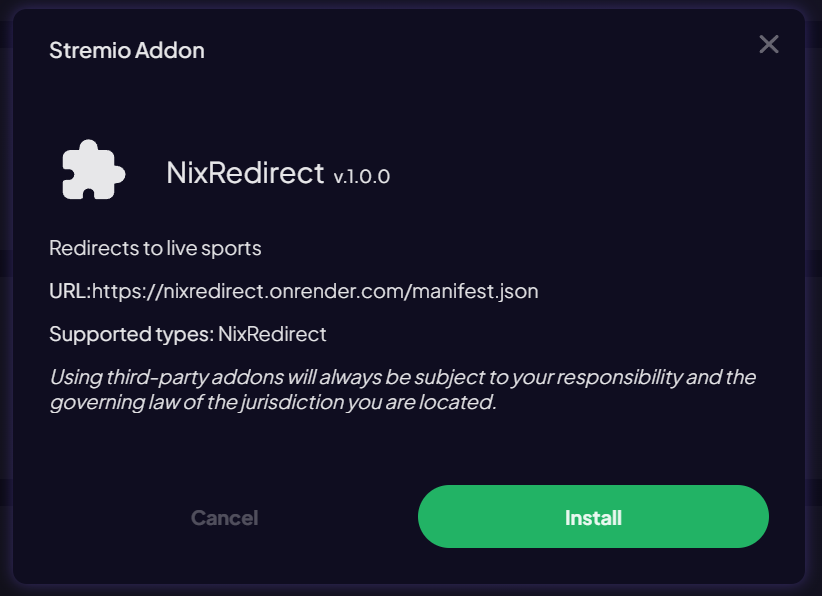
It is the same for other addons. If they do not have an Install or open in Stremio button, copy and paste the link in the Stremio search bar. Another addon is USA TV. Here is the link to it 'https://stremio-addons.com/usa-tv.html'. Simply click Install and wait for Stremio to open.
6. Finishing Touches
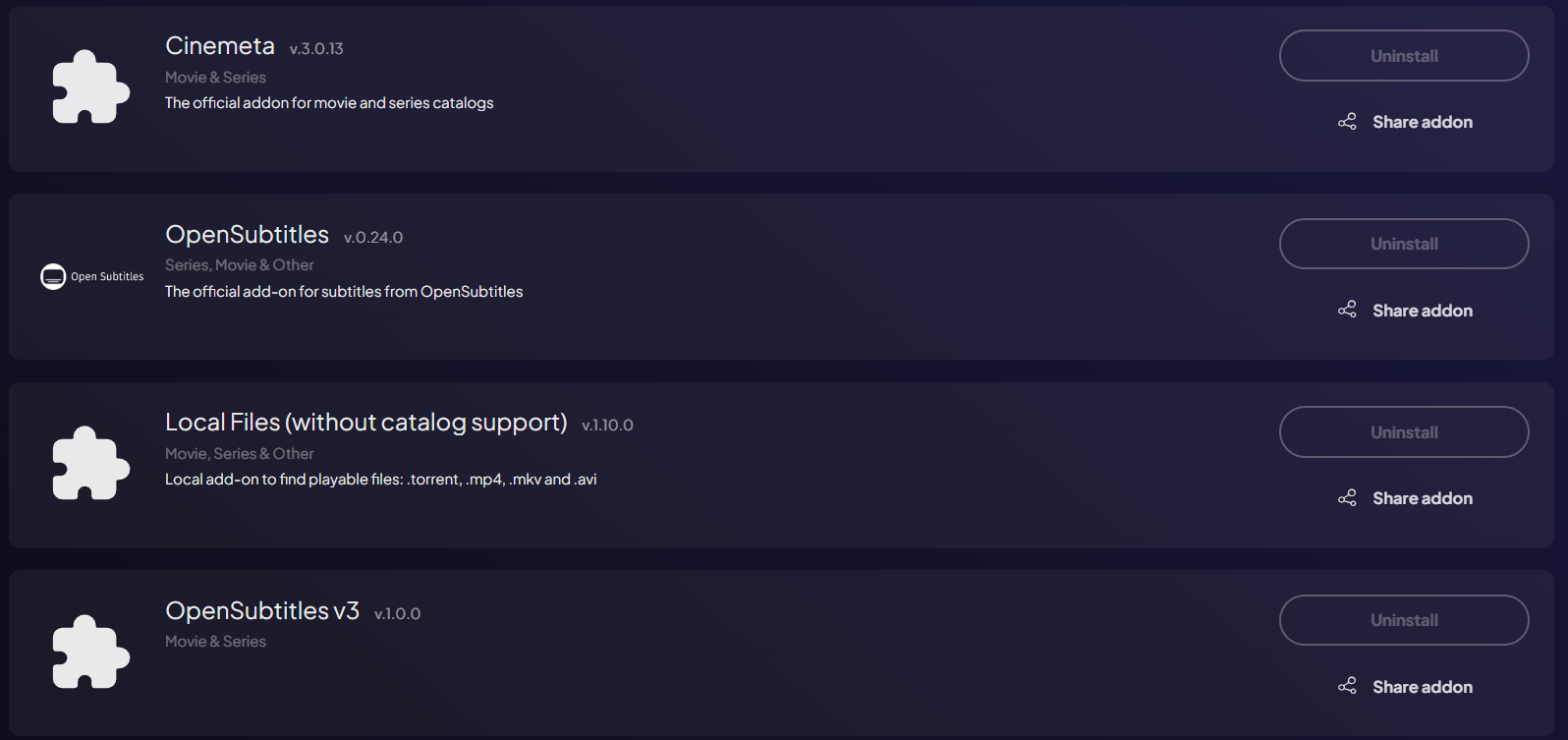
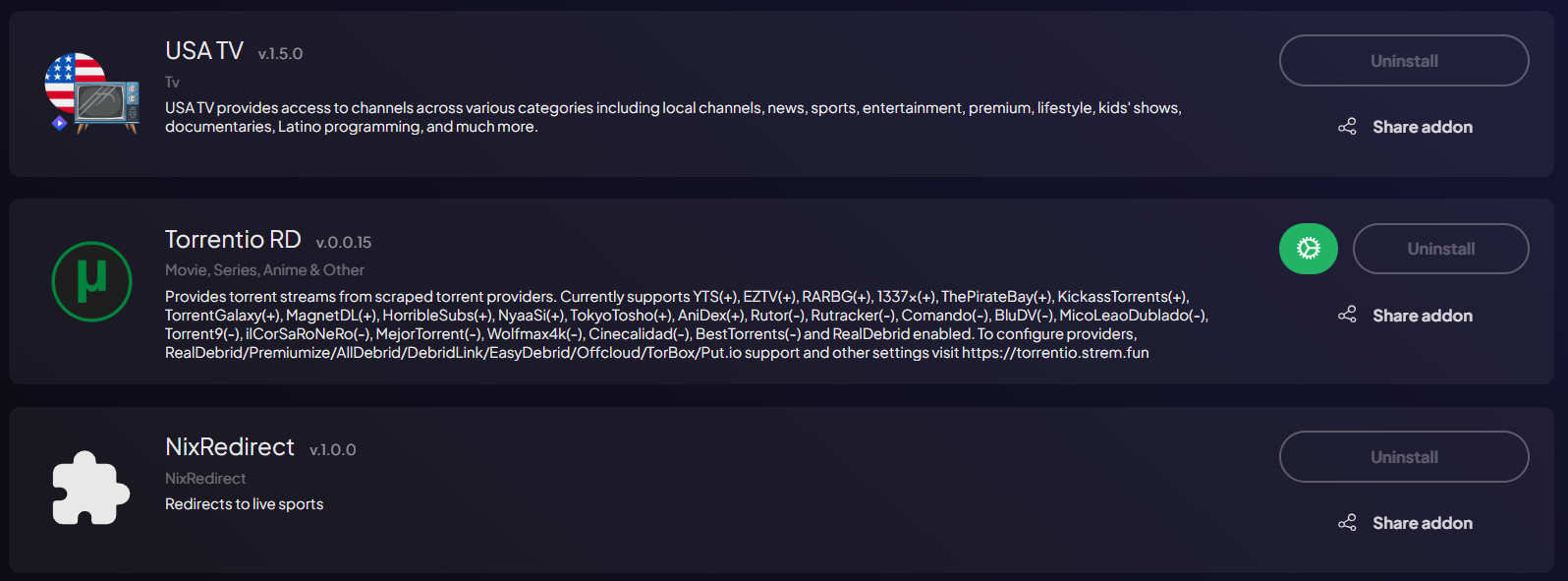
Stremio will come paired with some addons by default. I removed some of them so here is a list of my current addons.